Fact sheet
| Product | Screen Slinger |
|---|---|
| Tagline | Fast on the draw. |
| What it is | A screenshot and annotation tool for Windows, built around explaining a screen rather than only capturing it |
| Current version | 3.6, released August 2026. Bug-fix updates within 3.6 ship under the same number — the download is always the current build |
| Platform | Windows 10 and Windows 11, 64-bit |
| Installation | A digitally signed installer, with no runtime prerequisites. A portable single-executable build is also published, and is what winget and Scoop deliver |
| Download size | About 75 MB |
| Price | $15 USD, one time, for a lifetime licence covering version 3. Not a subscription |
| Trial | 30 days with every feature unlocked. No account, no card, no sign-up. After 30 days the app becomes view-only and nothing is deleted |
| Activations | Two machines per licence, transferable by deactivating first |
| Interface languages | English, French, German and Hebrew, with full right-to-left layout. Follows the Windows display language automatically |
| Privacy | Fully local. No account, no upload, no telemetry. The only network request the app makes is a licence-key check at activation |
| Website | screenslinger.com |
| Direct download | screenslinger.com/download — always the current signed build |
| Machine-readable | llms.txt · pad.xml |
Feature list
Written so you can lift any line straight into a review.
Instant region capture
Multi-monitor and mixed-DPI aware, with a frozen preview so nothing moves while you select. Hovering suggests the window, panel or table under the cursor; a timer and cursor-in-shot are available.
Automatic scrolling capture
Screen Slinger scrolls the window itself, stops at the bottom, detects sticky headers so they appear only once, and stitches pixel-accurately with a live preview.
Text recognition via Windows
Copy the text out of a capture, or find and hide detected e-mail addresses and long numbers in one click. Uses the OCR engine built into Windows, so it depends on the installed language packs.
Spotlight, magnifier & more
Spotlight in three shapes, a magnifier inset, emoji stickers, a colour picker, a cut-out tool, pin-to-screen, and background styling with frames applied automatically.
Annotations that stay editable
Arrows, shapes, text, highlighter, speech-bubble callouts and auto-numbered step markers remain objects you can move, restyle or delete — even after closing and reopening the file, because the undo history is saved with it.
Redaction you can rely on
Blur, pixelation and solid fill replace the pixels in the exported file rather than covering them. Hide-templates re-apply saved redactions to every capture of the same screen.
Saved tool presets
Your arrow, your colour, your callout style, applied in one click.
Searchable local history
Every capture is kept on your own disk and can be found later. Multiple captures can be copied and pasted one by one with Win+V.
What it does not do — please say so in your coverage
- No screen or video recording. Still images only.
- No cloud sharing, share links or team libraries.
- Windows only. No macOS, Linux, mobile or browser version.
- Text recognition uses the OCR engine built into Windows — it depends on the language packs installed on the reviewer's PC, and Hebrew letters need the Hebrew OCR pack (digits work without it).
- Automatic scrolling depends on the window responding to standard scroll input; when one does not, Screen Slinger says so and you scroll manually while it stitches.
A reader who arrives expecting a Snagit clone will be disappointed, so we would rather your review set the expectation for us.
Boilerplate
Short, medium and long. Copy whichever fits.
Logo and screenshots
Right-click and save. Free to reproduce in coverage of Screen Slinger. Please do not alter the logo's colours or proportions.

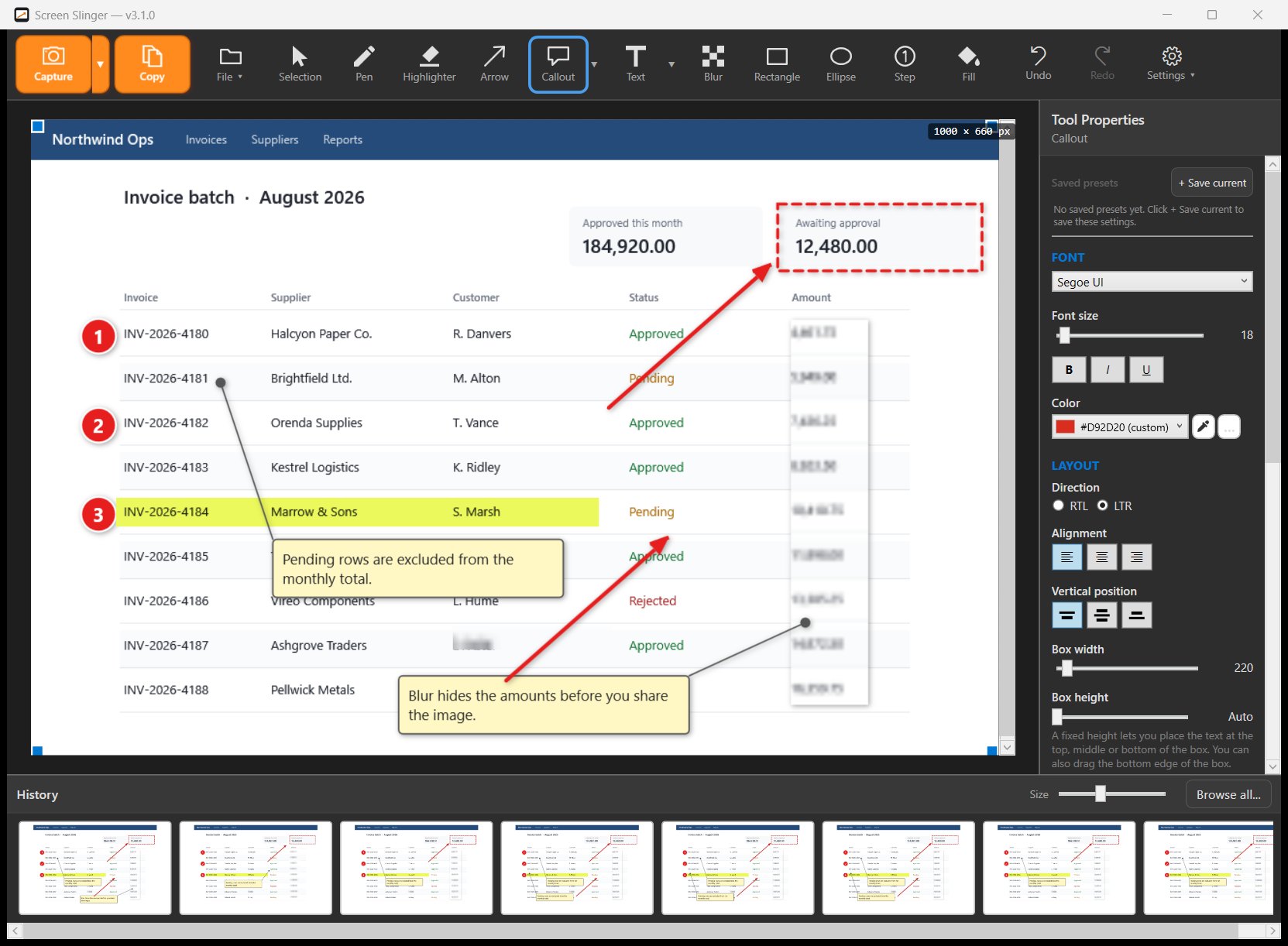
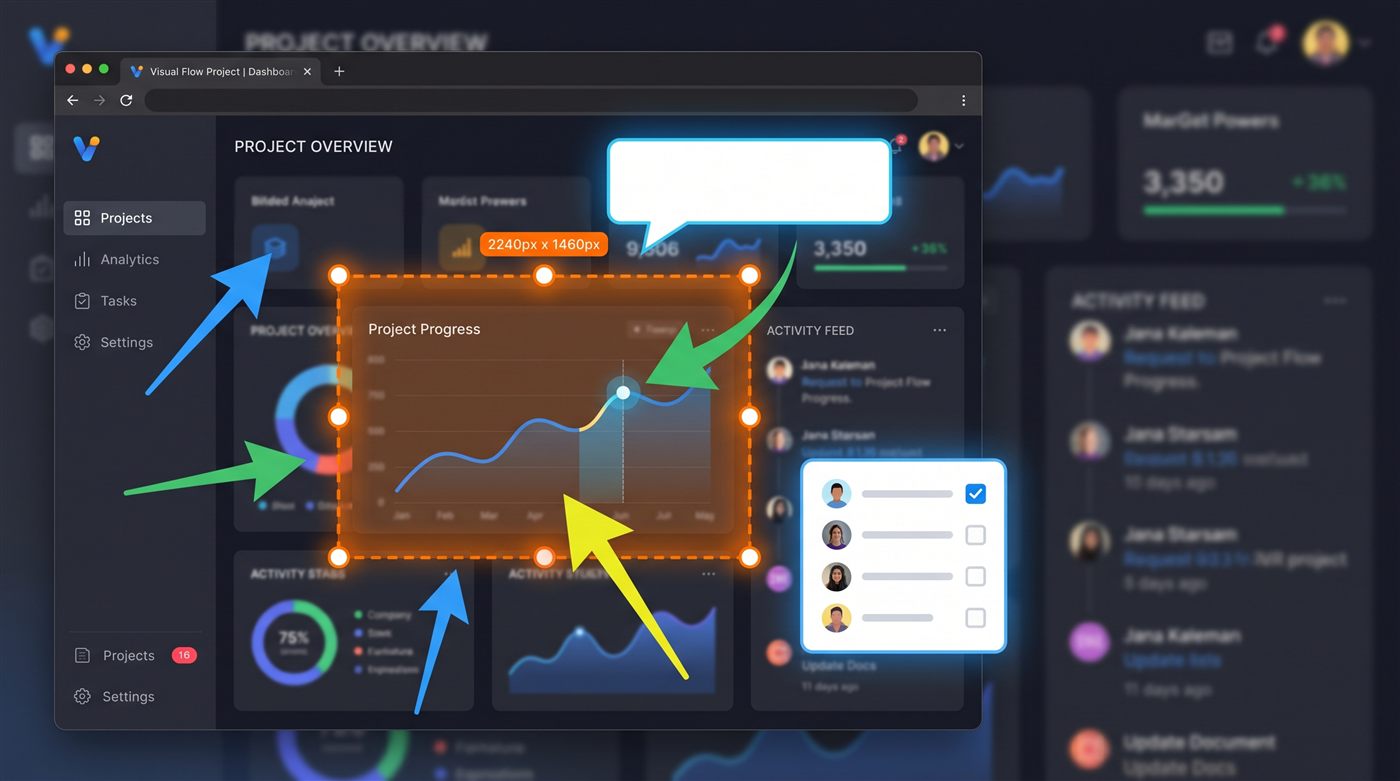
The editor screenshot shows the real Screen Slinger editor; the application being annotated in it is an invented product built for the purpose, so no real company's interface appears in our promotional material. The capture image is a stylised illustration, not a product screenshot.
Reviewing it yourself
The 30-day trial is the full product — no watermark, no locked features, no account. Download it from screenslinger.com/download and put it against whatever you use now.
The trial needs no key and no account, so there is nothing to request before you can start. It is the complete product for 30 days — long enough for any review.
An honest comparison against Snagit, ShareX, Greenshot, Lightshot and PicPick, written by us and including the cases where another tool wins, is at screenslinger.com/compare.